
我们都知道我们都知道WPF是一个单UI线程的应用模型
但是实际上我们可以通过在后台线程跑一个Dispatcher来运行UI元素
详情可以参见这个大大的博客Launching a WPF Window in a Separate Thread, Part 1 : Reed Copsey, Jr.
这种场景用来加载一个欢迎界面还是很nice的
但是显然WPF的团队没有充分考虑过这种场景,因为我们遇到了如下的异常“集合已经修改”

System.Windows.Markup.XamlParseException: 集合已修改;可能无法执行枚举操作。 ---> System.InvalidOperationException: 集合已修改;可能无法执行枚举操作。
   在 System.ThrowHelper.ThrowInvalidOperationException(ExceptionResource resource)
   在 System.Collections.Generic.List`1.Enumerator.MoveNextRare()
   在 System.Collections.Generic.List`1.Enumerator.MoveNext()
   在 System.Windows.Baml2006.WpfSharedBamlSchemaContext.GetKnownXamlType(Type type)
   在 System.Windows.Baml2006.WpfSharedBamlSchemaContext.GetXamlType(Type type)
   在 System.Windows.Baml2006.Baml2006SchemaContext.GetXamlType(Type type)
   在 System.Xaml.XamlObjectWriter.GetXamlType(Type clrType)
   在 System.Xaml.XamlObjectWriter.WriteEndMember()
   在 System.Xaml.XamlWriter.WriteNode(XamlReader reader)
   在 System.Windows.Markup.WpfXamlLoader.TransformNodes(XamlReader xamlReader, XamlObjectWriter xamlWriter, Boolean onlyLoadOneNode, Boolean skipJournaledProperties, Boolean shouldPassLineNumberInfo, IXamlLineInfo xamlLineInfo, IXamlLineInfoConsumer xamlLineInfoConsumer, XamlContextStack`1 stack, IStyleConnector styleConnector)
   在 System.Windows.Markup.WpfXamlLoader.Load(XamlReader xamlReader, IXamlObjectWriterFactory writerFactory, Boolean skipJournaledProperties, Object rootObject, XamlObjectWriterSettings settings, Uri baseUri)
   --- 内部异常堆栈跟踪的结尾 ---
   在 System.Windows.Markup.WpfXamlLoader.Load(XamlReader xamlReader, IXamlObjectWriterFactory writerFactory, Boolean skipJournaledProperties, Object rootObject, XamlObjectWriterSettings settings, Uri baseUri)
   在 System.Windows.Markup.WpfXamlLoader.LoadBaml(XamlReader xamlReader, Boolean skipJournaledProperties, Object rootObject, XamlAccessLevel accessLevel, Uri baseUri)
   在 System.Windows.Markup.XamlReader.LoadBaml(Stream stream, ParserContext parserContext, Object parent, Boolean closeStream)
在 System.Windows.Application.LoadComponent(Object component, Uri resourceLocator)问题堆栈如上,我们还抓到了不同的路径,但是最终指向的问题都是GetKnownXamlType
我们看下源码
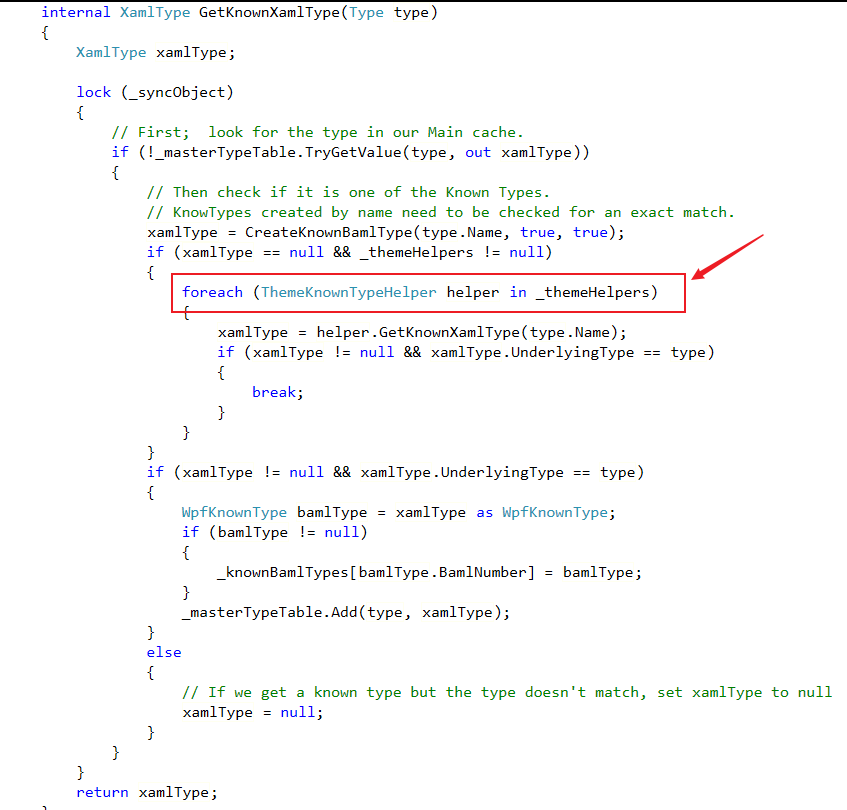
整个方法中只有一个foreach循环,那么显然这是一个多线程问题
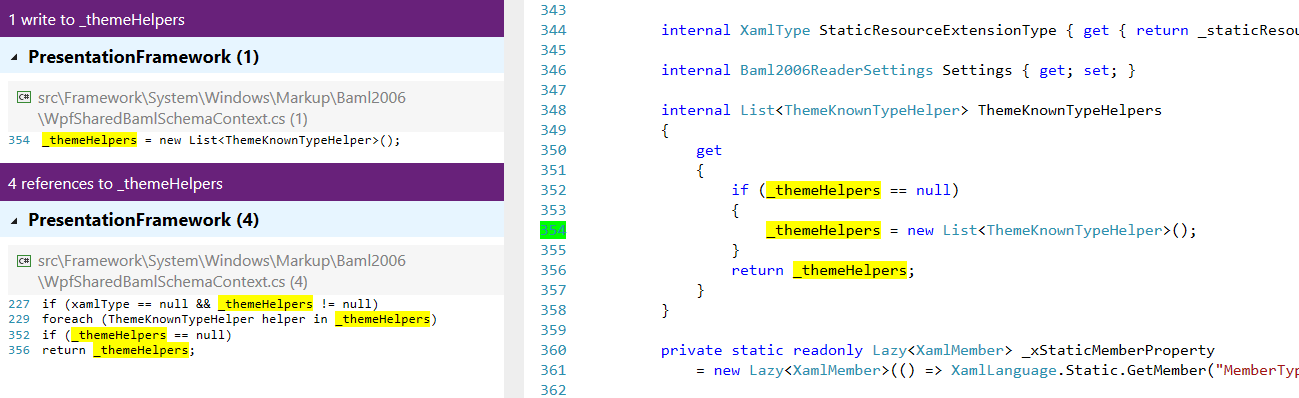
_themeHelper作为一个backing field只有一处赋值,而且ThemeKnownTypeHelpers属性不是线程安全的,所以应该是存在2种可能性:
1、循环的时候其他线程对该属性赋值
2、2个线程同时访问ThemeKnownTypeHelpers属性
我们跟踪下代码Application.LoadComponent调用了静态方法XamlReader.LoadBaml
这个方法中创建了baml的reader

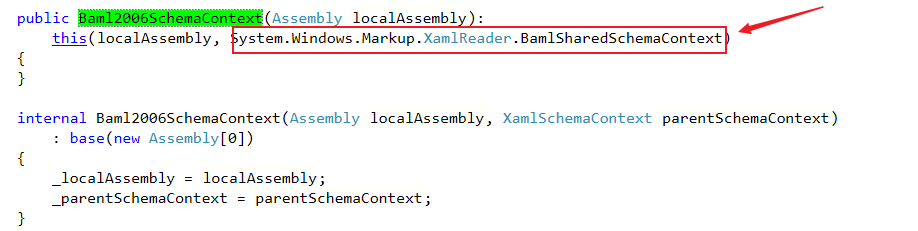
我们关注下其中的参数Baml2006SchemaContext,这个类的公开构造函数中使用了静态属性XamlReader.BamlSharedSchemaContext。这是一个线程安全的Lazy构造的WpfSharedBamlSchemaContext。
所以所有线程都会访问同一个WpfSharedBamlSchemaContext


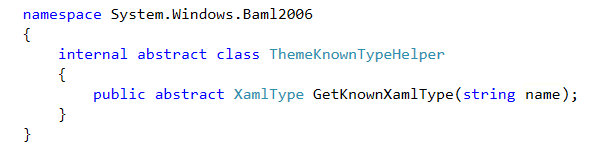
我们再看 ThemeKnownTypeHelper,它是一个抽象类,PresentationFramework没有找到它的子类 但是我们在PresentationFramework.Luna里找到了KnownTypeHelper,它访问了ThemeKnownTypeHelpers属性,并且修改了集合

那么这个类会在哪里用到呢?我们在SystemResource.LoadExternalAssembly中找到了它。
这里是wpf的主题设置代码,当我们需要引入外部主题时,会从同名不同后缀的程序集进行查找。具体可参见默认的WPF样式在哪里 - huangtengxiao
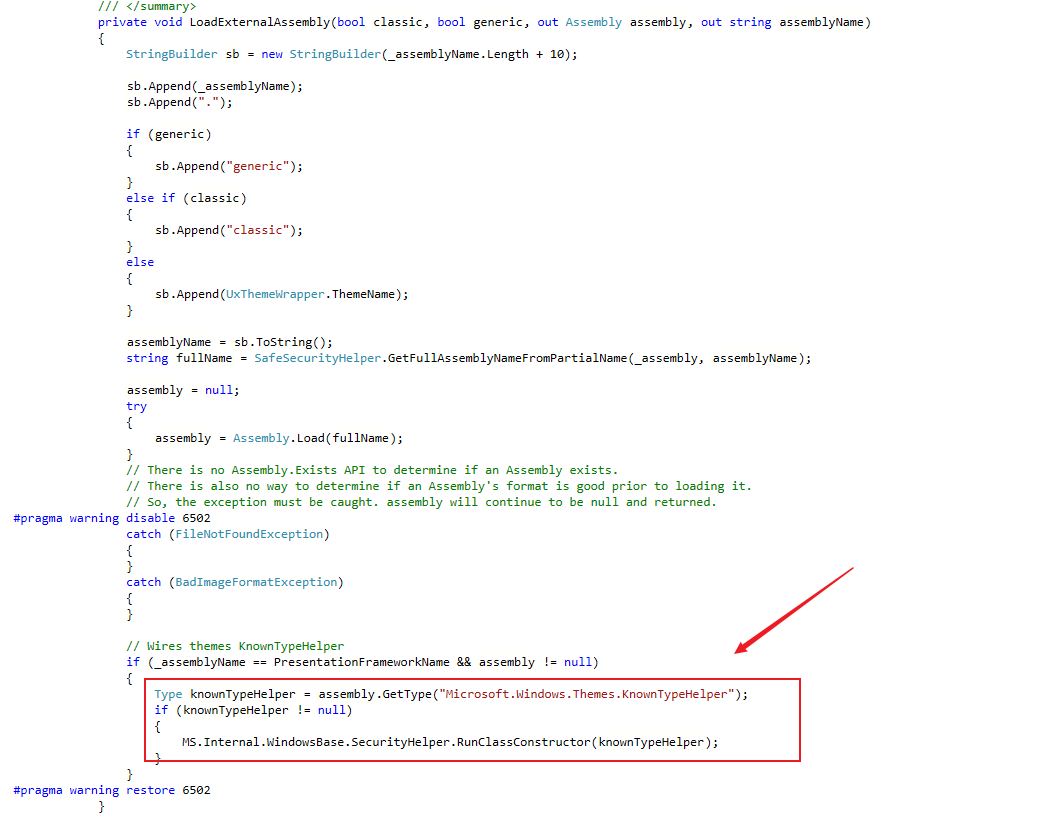
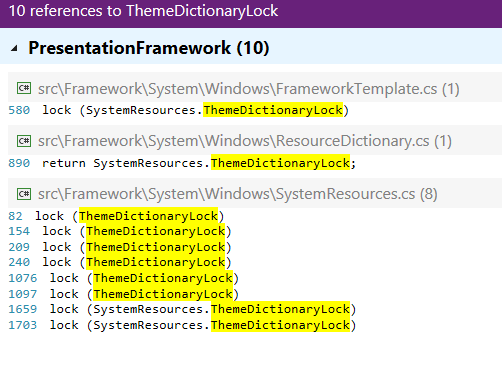
不过在加载主题时是会适用锁的就是ThermeDictionaryLock,这个锁会对主题的Style和Template以及Application的资源字典加锁。但是调试发现,在WpfXamlLoader.TransformNodes的多条路径(比如下面这条)都可以无锁访问到GetKnownXamlType方法,而后者方法内的锁与前者不同。
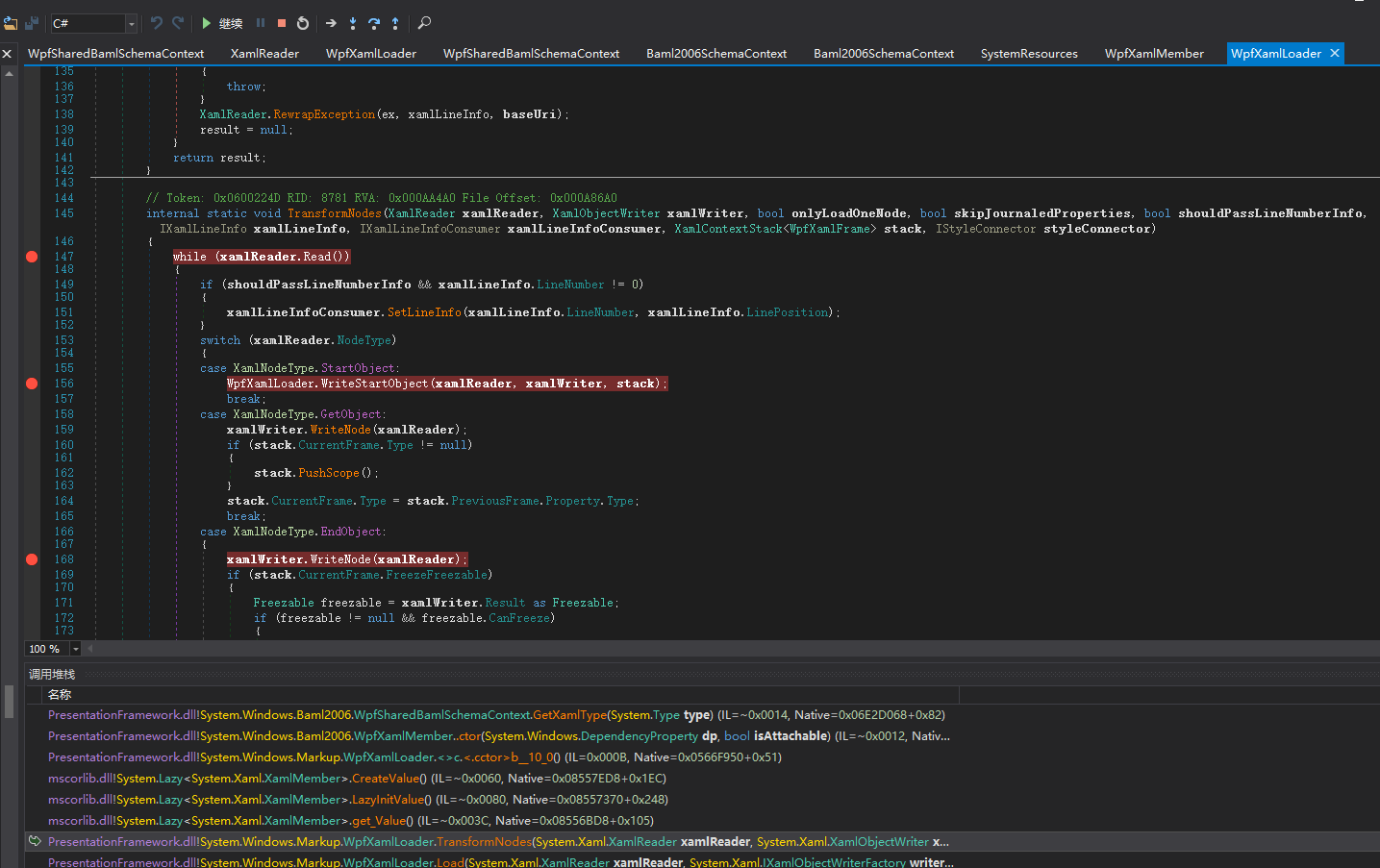
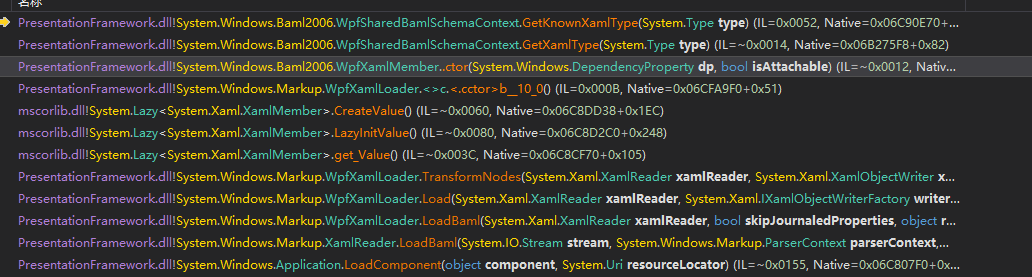
所以也希望这个bug可以被修复
参考链接: